What emails your fans get from us
Fans get emails from us about their tickets. We never market your fans to other organizers or to ourselves.
| When it's sent | Subject line starts with | |
|---|---|---|
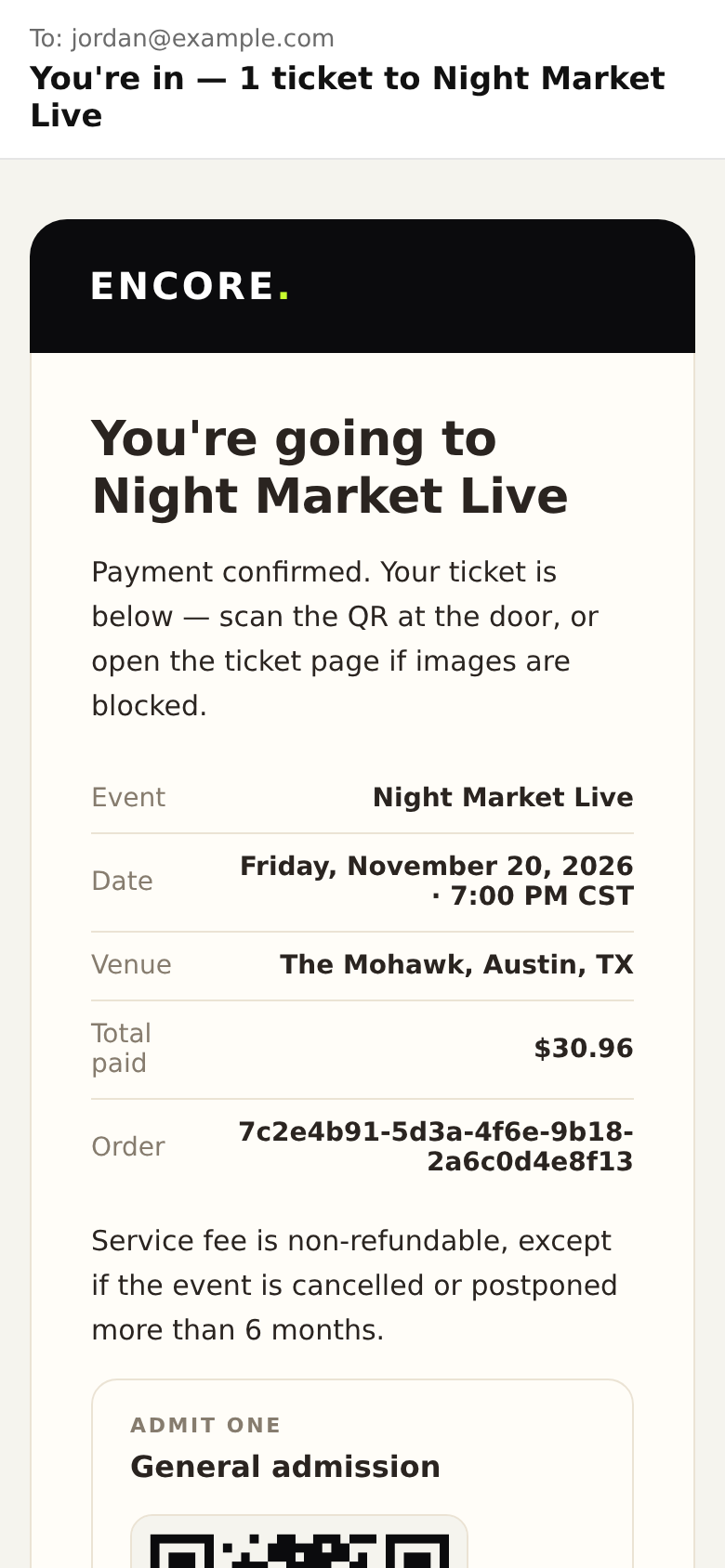
| Ticket confirmation | Right after they pay, or when you tap Resend tickets | "You're in —" |
| Reminder | About a day before the event | "Reminder:" |
| Starting soon | About an hour before the event | "Starting soon:" |
| Event change | When you change the date, time, venue or address | "(event): the date changed", or "the details changed" for more than one |
| Event moved more than 6 months | When the new date is more than 6 months later than the date was when they bought | "(event) has moved: you can ask for the service fee back" |
| Refund | When a ticket is refunded | "Your refund for" |
| Tickets cancelled after a dispute | When a buyer's bank dispute cancels their tickets | "Your tickets for … were cancelled because of a payment dispute" |
| Waitlist hold | When tickets come back and we hold them for a fan | "Tickets are held for you:" |
| Ticket transfer | When a ticket is sent, accepted, declined, cancelled or used | "(name) sent you a ticket to", "Your ticket to … was accepted" and similar |
| Email changed | When you change the email on their order | "The email on your order for … changed" |
Good to know
- Reminders. Fans can turn Event reminders off in their own notification settings. Tickets, receipts and refund emails are always sent.
- Change emails are capped. If you change an event many times, fans stop getting change emails after a few in one week. The edit page tells you when that happens.
- Your fans don't get your marketing from us. To send your own news, download your customer list and use your own email tool, with permission.
- Missing email? Ask the fan to check spam, then resend their tickets.
Emails you get
In Settings → Notifications, each person on your team chooses their own:
- Every order: one email per order, off by default. The subject starts "New order:".
- Refunds: when someone on your team refunds an order, on by default. The subject starts "Refund:".
- Anything Stripe needs is always on, so payouts don't stop.
- Sales paused and Sales resumed emails go to every owner and admin, and can't be turned off.
Daily summary, Weekly report, Last few tickets, Sold out and Payout sent are marked Later. They don't exist yet.