How do I set up payouts with Stripe?
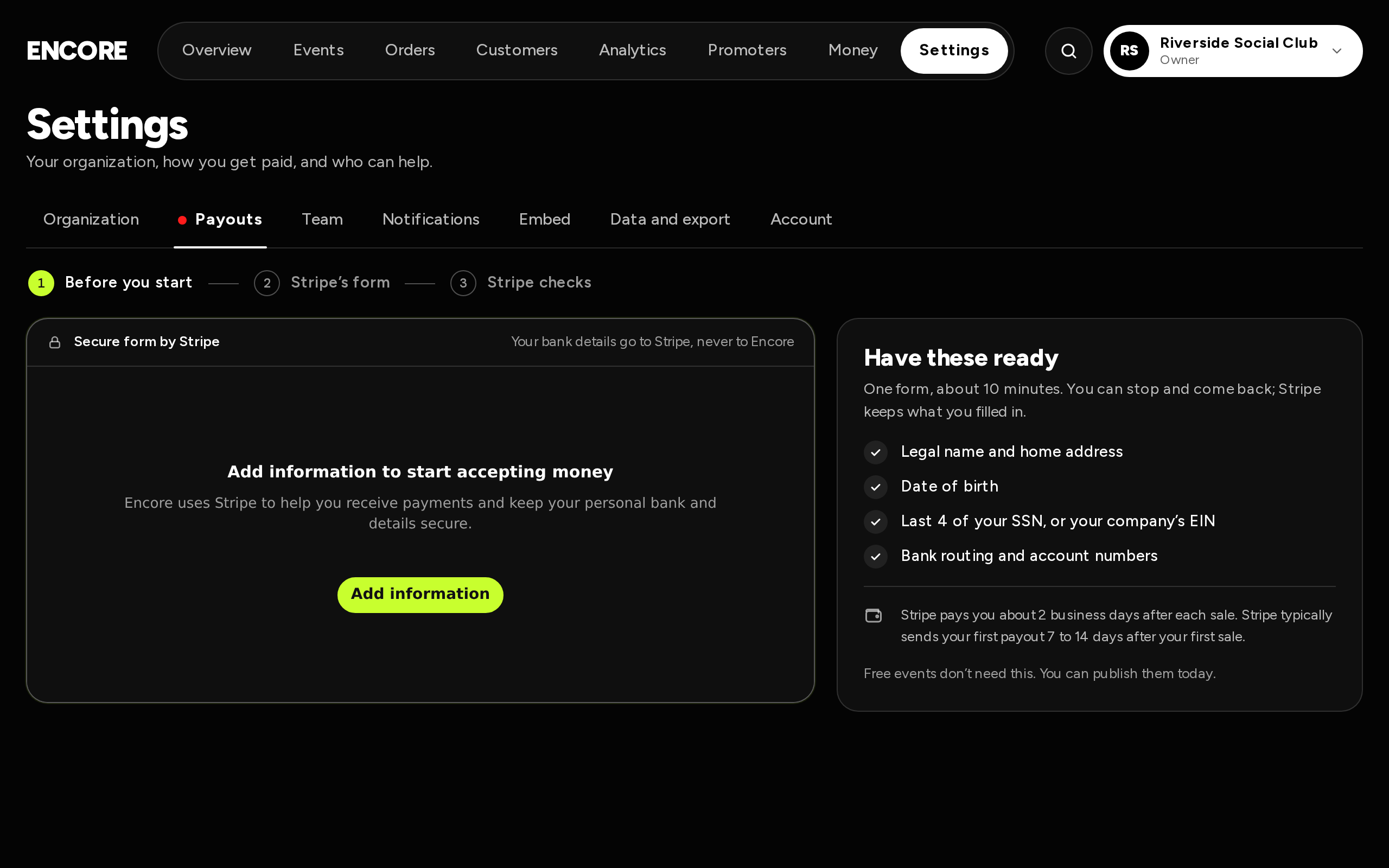
Go to Settings → Payouts and fill in Stripe's form there. It takes about 10 minutes. You only need this to sell paid tickets.
The page shows three steps: Before you start, Stripe's form and Stripe checks.
What you need
The Have these ready card lists them:
- Legal name and home address.
- Date of birth.
- Last 4 of your SSN, or your company's EIN.
- Bank routing and account numbers.
It also says: "Free events don't need this. You can publish them today."
Steps
- Go to Settings → Payouts.
- Check Have these ready, then press Add information in Stripe's form beside it and fill it in: your details, your business (or yourself as an individual) and your bank account.
- Stripe opens a small window to check it's really you before you add bank details. That's Stripe, not us. If nothing opens, allow pop-ups for this site and press Add information again.
- Send the form. The page shows "You're done. Stripe is checking your details." and What you sent.
You can stop and come back. Stripe keeps what you filled in.
After you send it
Stripe checks your details. Usually that takes minutes, sometimes a few days. While you wait, build your event and publish free tickets. Paid tickets switch on by themselves as soon as Stripe says yes.
If Stripe needs something else, a red card says Stripe needs one thing and what it is. Tap Finish with Stripe to send it.
Who can do this
Only the owner can set up payouts or change the bank. An admin who opens the page before setup sees "Only the owner can set up Stripe". After setup, admins can see the Payouts page but can't change it.
Your Stripe account is yours. You can open it any time with Open Stripe ↗.